
Why Everyone’s About to Have to Replace Their Computer
This isn’t another post about ChatGPT or how to use AI to level up your skills. This is about how the infrastructure shift of where AI sits is about to cost you and your company a lot of money.
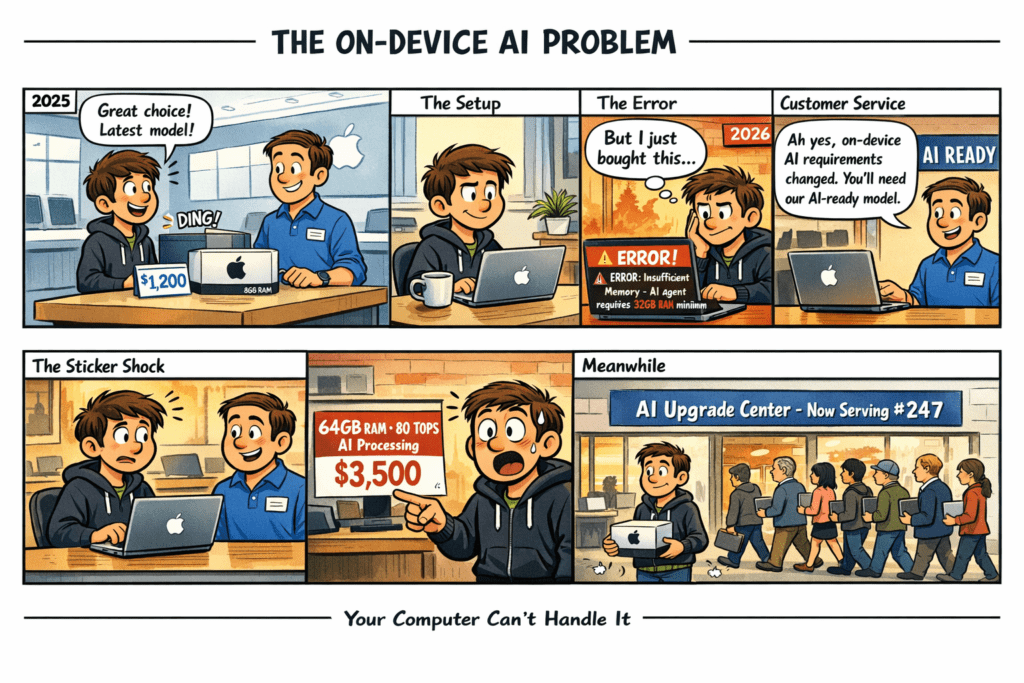
TL;DR FAQ: Why On-Device AI Will Force a Mass Computer Replacement
▼ Q: What is on-device AI and how is it different from cloud AI?
A: On-device AI means your computer, phone, or tablet processes everything locally without sending data to remote servers. Cloud AI (the current method) sends your request over the internet to massive data centers where powerful servers do the processing, then sends results back. On-device AI does all the “thinking” on your hardware—no internet round-trip, instant results, complete privacy. Tech companies are shifting to on-device AI to cut their cloud costs, eliminate latency delays, and avoid privacy regulations.
▼ Q: Why are tech companies moving AI processing from the cloud to our devices?
A: Three reasons that benefit companies, not users: (1) Cloud AI costs are exploding—running AI in data centers costs hundreds of thousands daily as usage scales; (2) Cloud latency creates dangerous delays (a self-driving car moves 88 feet during a 1-second round-trip); (3) Privacy regulations are tightening, and keeping data local avoids regulatory headaches. Moving AI to your device solves their cost, speed, and compliance problems.
▼ Q: What hardware do I actually need for on-device AI in 2026-2027?
A: Your 2020-2023 laptop with 8GB RAM and no neural processor is obsolete. Microsoft’s Copilot+ baseline requires 40+ TOPS neural processing and 16GB DDR5 RAM, but that’s already inadequate. Realistic requirements: 32GB RAM minimum (barely adequate), 64GB for comfortable multi-agent workflows, 128GB for professionals running 15-20+ concurrent AI agents. You’ll need 60-80+ TOPS neural processing, not the 40 TOPS baseline.
▼ Q: Why will my computer run AI processes even if I don’t use AI tools?
A: Once software updates roll out, your operating system will run AI continuously in the background—Windows Recall indexing everything you do, voice assistants listening, smart clipboard analyzing, predictive text processing. Add your active workload (email agents, calendar agents, document processing, translation, research monitoring) plus regular applications. A typical 2026-2027 workday will require 45-52GB of total system memory just to function normally, with 30GB consumed by AI agents alone.
▼ Q: How much more expensive are AI-capable computers right now?
A: Memory costs have exploded due to manufacturers prioritizing high-margin AI data center chips over consumer memory. A 16GB DDR5 module cost $75 in September 2025 and $225 by December 2025—a 200% increase in three months. For complete systems: entry AI laptops jumped from $900-1,200 to $1,400-1,700 (+50-75%), power user machines from $1,800-2,200 to $2,800-3,500 (+55-75%), professional systems from $2,500-3,000 to $4,000-5,000 (+60-100%). Just 64GB of DDR5 RAM now costs more than a PlayStation 5 at $650-750.
▼ Q: When will computer prices come back down?
A: Not soon. Industry experts project memory shortages persisting into late 2027 or 2028. DRAM prices will peak in Q1 2026 with a 55-60% quarter-over-quarter surge. Partial relief may come by late 2027 as new factories reach production, but this isn’t a cyclical shortage—it’s a permanent strategic reallocation of silicon capacity toward AI data centers. Memory manufacturers can sell AI-oriented memory at 3-5x the margin of consumer DDR5, so they’re deliberately holding back commodity DRAM production. Building new memory factories takes three years minimum, so even if construction started today, new capacity wouldn’t arrive until late 2028.
▼ Q: What should I do if I need a computer in the next 18 months?
A: Buy now, not later. Every month you wait costs more. Prioritize 32GB RAM absolute minimum (16GB is obsolete), aim for 64GB if affordable, and look for 60+ TOPS neural processing. For businesses: budget 20-30% cost increases for 2026-2027 refresh cycles, lock in orders immediately as supply constraints worsen monthly, and rethink “power user” definitions—even basic office workers will need 32GB minimum with agentic AI rolling out. A 500-employee company’s laptop budget jumped from $600,000 in 2023 to $960,000 in 2026 (+60%).
If you’re reading this on a laptop, even if has just been unboxed, there’s a good chance it’s about to become inadequate for modern computing. Not because it’s broken, slow, or outdated in the traditional sense, but because of a massive infrastructure shift happening in the tech industry that most people don’t yet have on their radar.
This isn’t a post about how to use AI tools or why AI will change your job. This is about the physical infrastructure that runs AI, and how tech companies’ decision to fundamentally change where AI processing happens is triggering a hardware crisis that will affect everyone. From Fortune 500 companies to people buying a new laptop at Best Buy.
The Infrastructure Shift: Understanding “On-Device” vs “Cloud”
For the last several years, when you’ve used any AI feature (e.g., using ChatGPT, creating images with Nano Banana, coding with Claude, using voice transcription) here’s what actually happened:
The Current Way (Cloud AI):
- Your device captures your request (voice, text, image)
- It sends that data over the internet to a massive data center
- Powerful servers in that data center process your request using AI
- The result gets sent back to your device over the internet
- You see the answer
Your device was essentially just a messenger. The actual “thinking” happened somewhere else entirely, in buildings filled with specialized AI processors consuming megawatts of power.
The Future Way (On-Device AI):
- Your device does ALL the AI processing locally
- No data leaves your computer or phone
- You get instant results
- Everything stays private
On-device AI means algorithms run locally on the hardware itself. Your laptop, phone, or tablet processes everything without needing to send data to a centralized data center.
Why Tech Companies Are Making This Shift
This isn’t about better AI features. Tech companies are making this infrastructure shift for three reasons that have nothing to do with helping users:
1. Cloud AI Costs Are Exploding
Running AI models in the cloud is expensive. It requires massive data centers, specialized hardware, and enormous amounts of electricity. As AI usage grows, these costs scale rapidly.
Think about it: If 100 million people use an AI feature that costs $0.002 per query, and each person makes 10 queries per day, that’s $200,000 daily in server costs. By moving AI processing to devices, companies can reduce their dependence on cloud infrastructure, lowering operational costs and making AI services more sustainable.
2. Latency (Speed) Problems
Cloud-based AI applications suffer from technical challenges like high latency and network congestion. A self-driving car traveling at 60 mph moves 88 feet during a 1-second cloud round-trip. Potentially fatal.
For AI assistants, real-time translation, or anything requiring instant responses, sending data to a server and back creates a noticeable lag. On-device processing happens in milliseconds.
3. Privacy Regulations and User Concerns
Cloud-based AI systems require sending personal information to remote servers, where it is processed and sometimes stored. This model has raised concerns about surveillance, data breaches, and misuse of personal information.
Governments are cracking down on data privacy. Companies can avoid regulatory headaches by keeping everything local.
The Problem: Your Computer Can’t Handle It
Here’s where the infrastructure shift creates a crisis: Smart infrastructure devices have limited computational capacity and energy budgets. On-device AI must be optimized for minimal resource use, but most existing computers simply don’t have the hardware.
Let me show you what I mean with a real comparison:
What Your Current Laptop Probably Has:
| Component | Typical 2020-2023 Laptop |
|---|---|
| Neural Processor | 0-15 TOPS (or none at all) |
| RAM | 8 GB DDR4 |
| Storage | 256 GB SATA SSD or hard drive |
| AI Capability | Can barely run 1 small AI task |
What You Actually Need for On-Device AI:
| Component | Minimum (Copilot+ Baseline) | Actual Power User Reality | Professional/Developer |
|---|---|---|---|
| Neural Processor | 40+ TOPS | 80-100+ TOPS | 100-150+ TOPS |
| RAM | 16 GB DDR5 | 64 GB DDR5 | 128 GB DDR5 |
| Storage | 256 GB+ NVMe | 1-2 TB PCIe Gen 5 | 2-4 TB PCIe Gen 5 |
| AI Capability | 1-2 basic AI tasks | 8-12 concurrent agents | 15-20+ agents + large models |
Microsoft’s Copilot+ certification establishes a strict hardware floor of 40+ TOPS neural processing and 16 GB DDR5 RAM that many existing machines do not meet.
What “Running Multiple AI Tasks” Actually Means
This isn’t about whether you personally use AI tools. Once software updates roll out, your computer will be running AI processes whether you activate them or not. And as companies push toward “agentic AI” (AI systems that work autonomously in the background), the demands explode.
Agentic AI refers to systems that maintain continuity across many steps, engaging in extended workflows and remembering past instructions. In these multi-turn scenarios, the conversation context becomes a critical, persistent state that must be maintained in memory.
Scenario: A “Normal” Work Day in Late 2026/2027
Imagine you’re working on your laptop. Here’s what a typical “AI-powered” workflow will involve:
Background OS-Level AI (Always Running)
- Windows Recall / macOS equivalent: Microsoft introduced memory into the PC, the ability to remember anything you have done on your device, constantly indexing and analyzing everything
- Voice assistant: Listening, processing speech locally
- Smart clipboard: AI-powered copy/paste with context understanding
- Predictive text: System-wide autocomplete
Your Active Workload
- Email agent: Drafting replies, summarizing threads, managing priorities
- Calendar agent: Scheduling meetings, finding conflicts, suggesting times
- Document agent: Auto-formatting, grammar checking, content suggestions
- Research agent: Monitoring web sources, summarizing articles
- Translation agent: Real-time translation on video calls
- Code completion (if developer): Real-time suggestions
Plus Your Regular Applications
- Browser (20+ tabs)
- Microsoft Office / Google Workspace
- Slack / Teams with AI features
- Zoom with AI transcription
- Your actual work applications
In agentic workflows, the time-to-live of an inference context extends to minutes, hours, or even days. Memory becomes a record of the agent’s reasoning process, where any prior node may be recalled to inform future decisions.
Realistic Memory Requirements for Concurrent AI Workloads
Here’s what that actually requires:
| Configuration | What It Can Handle | Real-World Limitation |
|---|---|---|
| 16 GB (Copilot+ Minimum – Almost Obselete) | 1-2 small AI models | This is the entry floor, not comfortable. You’ll constantly hit memory limits. Background agents will fail or slow to a crawl. |
| 32 GB (2025 Standard) | 3-5 concurrent agents | Email + calendar + voice assistant. 32GB RAM efficiently runs quantized 7B to 14B parameter models locally, but is becoming the new baseline, not the ceiling. Adequate for basic usage but you’ll feel the constraints quickly. |
| 64 GB (2026-2027 Power User Baseline) | 8-12 concurrent agents | Full agentic workflow with multiple assistants working simultaneously. 64GB is recommended for heavy creators, AI workflows, and serious multitasking. For AI workstations, 64GB+ is now recommended as 32GB falls short. This is where you actually have breathing room. |
| 128 GB (Professional/Developer) | 15-20+ agents + massive models | To support massive LLMs locally, systems with 128GB of shared memory enable running 32-billion parameter models on-device. Multiple large AI models running simultaneously, plus everything else. |
Why This Matters: Memory Isn’t Just Storage
To avoid recomputing an entire conversation history for every new word generated, models store previous states in Key-Value (KV) cache. In agentic workflows, this cache acts as persistent memory across tools and sessions, growing linearly with sequence length.
Each AI agent needs:
- Model weights loaded into memory (the AI “brain”): 2-8 GB per agent
- Context/conversation history (what it’s done and learned): 1-4 GB per agent
- Working memory for active processing: 0.5-2 GB per agent
Quick Math for a Realistic Multi-Agent Setup (Late 2026/2027):
| System Component | Memory Required |
|---|---|
| Background voice assistant | 3 GB |
| Email + calendar agents (2) | 10 GB |
| Document processing agent | 4 GB |
| Translation agent (if on call) | 3 GB |
| Code completion (developers) | 7 GB |
| Browser AI features | 3 GB |
| Subtotal for AI agents | 30 GB |
| Operating system | 4-6 GB |
| Browser (20 tabs) | 6-8 GB |
| Office applications | 3-5 GB |
| Communication tools | 2-3 GB |
| TOTAL SYSTEM MEMORY | 45-52 GB |
This is why 16 GB is completely obsolete and 32 GB is barely adequate.
The proliferation of agentic LLMs on personal devices introduces workloads characterized by concurrent reactive and proactive tasks. Existing on-device LLM engines fail to efficiently manage these concurrent and conflicting requests.
And remember, this doesn’t account for:
- Multi-agent coordination where distributed agents work in parallel with shared memory architectures
- Peak usage when everything fires simultaneously
- Future software updates adding more AI features
- Larger, more capable models becoming standard
The Perfect Storm: Three Crises Colliding
Crisis #1: Windows 10 End of Life
Windows 10 support ended in October 2025. Companies can no longer receive security updates, forcing them to upgrade to Windows 11. While Windows 11 technically runs on older hardware, Microsoft’s new features strongly encourage AI-ready hardware with the Copilot+ certification.
Crisis #2: The Memory Shortage (The Big One)
This is where things get catastrophic. AI data centers consume so much memory that DRAM prices have surged 171% year-over-year, with DDR5 prices quadrupling since September 2025.
Why? Memory manufacturers Samsung, SK Hynix, and Micron have shifted production toward high-margin memory for AI data centers. This is not just a cyclical shortage but a potentially permanent, strategic reallocation of silicon wafer capacity. Every wafer allocated to an AI data center GPU is one denied to consumer laptops.
What This Means in Real Numbers:
A 16GB DDR5 memory module cost around $75 in September 2025. By December 2025, that same module cost over $225. A 200% increase in three months.
For 128GB of DDR5 RAM, prices can reach $1,000, a steep jump from the typical $400 range. This far exceeds the price of a PlayStation 5.
By 2026, data centers will consume roughly 70% of all memory chips produced globally.
Crisis #3: The Corporate Refresh Cycle
The average lifespan of business laptops is 3-5 years. Many companies delayed purchases during and after the pandemic. Now:
- Old machines need replacing anyway
- Windows 10 end of life forces upgrades
- New machines must have AI capabilities
- Memory shortages are driving prices through the roof
In 2025, global PC shipments grew 9.1% to exceed 270 million units. But IDC’s pessimistic scenarios show the PC market could shrink by 5-9% in 2026 due to memory shortages and rising prices.
What This Actually Costs (In Today’s Dollars)
Let’s talk real numbers. Here’s what you’re looking at:
For Individual Consumers
| Configuration | 2023 Price | 2026 Price (Current) | Increase |
|---|---|---|---|
| Basic laptop (8GB, no NPU) | $600-800 | $850-1,100 | +40-50% |
| Entry AI laptop (16GB, 40 TOPS) | $900-1,200 | $1,400-1,700 | +50-75% |
| Power user (64GB, 80 TOPS) | $1,800-2,200 | $2,800-3,500 | +55-75% |
| Professional (128GB, 100+ TOPS) | $2,500-3,000 | $4,000-5,000 | +60-100% |
Memory alone for a 64GB system: 64GB of DDR5 RAM now costs more than a PlayStation 5, at $650-750 just for the memory modules.
The Brutal Truth: If you want a device, buy it now. Memory shortages are expected to persist, and prices will only increase.
For Companies
Let’s say your company has 500 employees needing laptop replacements:
2023 Corporate Laptop Budget:
- 500 laptops x $1,200 = $600,000
2026 Corporate AI-Ready Laptop Budget (Reality Check):
- 400 entry-level AI laptops x $1,600 = $640,000
- 100 power user laptops (developers, designers) x $3,200 = $320,000
- Total: $960,000 (+60% from 2023)
And that’s just hardware. Custom AI solution development can range from $500,000 to over $2 million upfront, with annual maintenance adding another 30-40%.
Major vendors like Dell and Lenovo have announced 15-20% price increases from Q1 2026.
When Will Costs Come Down? (Spoiler: Not Soon)
Here’s the question everyone’s asking: “Can’t I just wait for prices to drop?”
The Short Answer: No.
The Longer Answer: Industry experts project the memory shortage will persist into late 2027 or even 2028. Building a new memory factory takes at least three years, so even if companies started today, new capacity wouldn’t come online until late 2028 at earliest.
The Timeline Reality
TechInsights expects DRAM prices to peak in 2026, potentially settle briefly in 2027, then rise again in 2028. Here’s why:
2026: Peak prices as AI demand continues to outpace supply
- DRAM prices will peak in Q1 2026 with a 55-60% quarter-over-quarter surge
- Consumer electronics get squeezed as hyperscalers lock in supply
- PC manufacturers forced to raise prices or reduce specs
2027: Partial relief (maybe)
- Partial supply normalization possible by late 2027 as Micron’s Idaho facility and SK Hynix’s Yongin cluster reach volume production
- But demand remains strong from AI infrastructure
- The base case (60% probability) sees price declines continuing through Q1-Q2 2027
2028 and Beyond: The Big Unknown
- Nvidia plans to launch systems with 576 GPUs each equipped with a terabyte of memory in 2027, which could trigger another shortage cycle
- Memory price rally likely to run past 2028 as manufacturers remain cautious on expansion
- Some analysts suggest a potential “bubble burst” in 2027 if AI demand moderates, which could lead to price drops of 50% or more
Why This Time Is Different
This is not just a cyclical shortage driven by supply and demand mismatch, but a potentially permanent, strategic reallocation of the world’s silicon wafer capacity.
Memory manufacturers have deliberately held back commodity DRAM expansions, shifting investment toward AI-oriented memory because they can sell HBM at 3-5x the margin of commodity DDR5.
AI has changed the nature of demand itself. Training and inference systems require large, persistent memory footprints. You cannot dial this down without breaking performance.
The Conservative Planning Approach
If you’re budgeting for your company or planning a personal purchase:
- Optimistic Scenario (20% probability): Meaningful price drops by late 2027
- Realistic Scenario (60% probability): Prices plateau in late 2026, gradual decline through 2027-2028
- Pessimistic Scenario (20% probability): High prices persist through 2028 and beyond
Bottom Line: While we may see a price plateau by late 2026, a significant downward correction is unlikely until late 2027. For electronics manufacturing, waiting for a price drop in the next few weeks is a losing strategy.
The Market Impact: Winners and Losers
The Winners
Memory Manufacturers: SK Hynix overtook Samsung in DRAM revenue for the first time since 1992, capturing 36% market share. Micron’s Q1 2026 revenues rose 56% while net income more than doubled to $5.24 billion. These companies are making record profits while everyone else suffers.
Apple: Apple secured long-term DRAM supply agreements through Q1 2026, insulating itself from the worst price impacts. Its vertically integrated approach with M-series chips gives it an advantage.
NVIDIA: NVIDIA’s market cap exceeded $4.5 trillion, driven by AI chip demand.
The Losers
Dell (Despite Market Share): Morgan Stanley downgraded Dell from “Overweight” to “Underweight” in late 2025, citing heavy exposure to rising server memory costs. While Dell maintains 15.3% market share, their profit margins are getting squeezed harder than competitors who locked in better supply agreements or have more diversified product lines.
Mid-Market Businesses: Hyperscale cloud providers secure supply through long-term commitments. Mid-market firms rely on shorter contracts and spot sourcing, competing for residual capacity after large buyers claim priority supply. This creates higher input costs and longer delivery timelines.
Budget PC Manufacturers: Component costs have risen so sharply that sub-$600 laptops are becoming nearly impossible to manufacture without significant compromises.
Consumers: You’re paying dramatically more for the same hardware capabilities you could have gotten cheaper two years ago.
Top PC Manufacturers (2025 Market Share)
| Rank | Company | Market Share | Key AI Strategy |
|---|---|---|---|
| 1 | Lenovo | 27.2% | LPDDR6 integration in ThinkPad |
| 2 | HP | 21.3% | VaporForce cooling systems |
| 3 | Dell | 15.3% | Enterprise AI refresh programs |
| 4 | Apple | 9.2% | M4 chips with unified memory |
| 5 | ASUS | 7.2% | Ryzen AI Max+ workstations |
What You Should Actually Do
If You’re Planning to Buy a Computer Soon:
- Buy NOW, not later: Every month you wait costs you more
- Prioritize 32GB RAM absolute minimum: 16GB is obsolete
- Aim for 64GB if you can afford it: This is where you’ll be comfortable
- Look for 60+ TOPS neural processing: 40 TOPS is the floor, not the target
- Don’t wait for “better deals”: They aren’t coming in 2026
If You’re a Business IT Leader:
- Budget for 20-30% cost increases in your 2026-2027 refresh cycle
- Rethink your “power user” definition: With agentic AI rolling out across all job functions, even basic office workers will need 32GB minimum. Sales reps with AI agents managing email, CRM, and research need similar specs to developers
- Plan who gets upgraded first, but know everyone will need it: Prioritize teams whose work will break first without adequate specs, but budget for company-wide upgrades within 18 months
- Lock in orders NOW: Supply constraints are worsening monthly
- Consider 3-year leasing to spread the cost impact
- Prepare executives for the sticker shock: You can’t just buy “power user” machines for IT anymore, nearly everyone needs capable hardware
If You’re Keeping Your Current Machine:
- Your computer will work for basic tasks for several more years
- Be prepared for degraded performance as AI features roll out
- Plan your upgrade budget now: When you finally upgrade, AI hardware will be mandatory
- Monitor the 2027 timeframe for potential (but not guaranteed) price relief
The Bottom Line
This isn’t about whether AI is useful or whether you want AI features.
This is about infrastructure: Tech companies decided the fundamental architecture of computing must change. AI processing is moving from data centers onto your devices. This solves their problems (cost, latency, regulations) but creates yours: hardware requirements just jumped 2-3x during a historic supply shortage.
Memory manufacturers are making record profits by reallocating production to higher-margin AI data center chips. Meanwhile, consumer memory prices have tripled in months. This isn’t a cyclical shortage that will resolve naturally. It’s a structural reallocation.
The hardware refresh cycle that would normally be routine will become a forced migration to a completely new computing paradigm at the worst possible time.
Your next computer will cost 50-100% more than your last one. Memory that cost $400 in 2023 costs $1,000 in 2026.
If you need a new computer in the next 18 months, buy it now. Waiting will only cost you more.
Sources
On-Device AI vs Cloud AI Fundamentals
- Appbirds Technologies: On-Device AI vs Cloud AI: Best for Your App
- Astrikos AI: On-Device AI vs Cloud AI – What’s Better for Smart Infrastructure?
- Blockchain Council: On-Device vs Cloud AI: Apple, Google, Samsung
- Imaginario AI: On-device vs Cloud: Which Will Unlock the Full Power of AI?
- SIIT Blog: Why Big Tech Is Betting Heavily On On-Device AI In 2026
- PhoneArena: The Ultimate Guide to Smartphone AI: On-Device AI vs Cloud AI vs Hybrid
- Computer Weekly: Why On-Device AI Is the Future of Consumer and Enterprise Applications
- F22 Labs: What Is On-Device AI? A Complete Guide for 2026
- Pieces.app: The Rise of On-Device AI and the Return of Data Ownership
Agentic AI and Memory Requirements
- The Register: How Agentic AI Strains Modern Memory Hierarchies
- AI News: Agentic AI Scaling Requires New Memory Architecture
- Instaclustr: Agentic AI Frameworks: Top 8 Options in 2026
- arXiv: Memory in the Age of AI Agents
- Redis Blog: Build Smarter AI Agents: Manage Short-term and Long-term Memory
- arXiv: Intrinsic Memory Agents: Heterogeneous Multi-Agent LLM Systems
- Machine Learning Mastery: 7 Agentic AI Trends to Watch in 2026
- arXiv: Agent.xpu: Efficient Scheduling of Agentic LLM Workloads on Heterogeneous SoC
- The New Stack: Memory for AI Agents: A New Paradigm of Context Engineering
- AImultiple: Top 5 Open-Source Agentic AI Frameworks in 2026
RAM Requirements and Hardware Specifications
- StanDesk: How Much RAM Do You Really Need in 2026? (16GB vs 32GB vs 64GB)
- Tom’s Guide: Best AI Laptop for 2026 — Tested and Rated
- AgentiveAIQ: Is 32GB RAM Enough for AI Workloads in 2025?
PC Refresh Cycle and Market Dynamics
- The Register: Windows 11, Not AI, Kick-Started the PC Upgrade Cycle
- FinancialContent: The AI PC Upgrade Cycle: Windows Copilot+ and the 40 TOPS Standard
- Dell Technologies: This Isn’t Your Typical PC Refresh Cycle
- TechInsights: 5 Expectations for the PC/Laptop/Tablet Market in 2026
- IDC: PC Refresh Cycle Expected to Spur Demand
- Constellation Research: The AI PC Upgrade Cycle Is Crawling Amid Murky Value
- Go Channel First: 2025 Is the Year Of The AI PC. Are Your Customers Ready?
- InvGate Blog: How Often Should You Replace Business Laptops?
- Intel White Paper: Understanding the AI PC: Where and When to Adopt
- ASI Partner: The PC Refresh Cycle
Memory Shortage and Pricing Crisis
- IDC: Global Memory Shortage Crisis: Market Analysis
- Wikipedia: 2024–2026 Global Memory Supply Shortage
- Tom’s Hardware: IDC Warns PC Market Could Shrink Up to 9% in 2026
- Tom’s Hardware: The RAM Pricing Crisis Has Only Just Started
- NPR: Memory Loss: As AI Gobbles Up Chips, Prices May Rise
- TechRadar: PC Prices Could Rise Even More in 2026 as RAM Costs Soar
- CNBC: AI Memory Is Sold Out, Causing Unprecedented Price Surge
- Tom’s Hardware: IDC Expects Average PC Prices to Jump by Up to 8%
- Bloomsbury Intelligence: Global RAM Shortage and Price Hikes: Causes and Consequences
- Network World: Samsung Warns of Memory Shortages Driving Price Surge in 2026
- TrendForce: 64GB DDR5 RAM Now Pricier Than a PlayStation 5
- Consumer Reports: With AI Data Centers Buying Up RAM, Laptop Prices Could Spike
Memory Market Outlook and Timeline Forecasts
- The Register: Buckle Up, Memory Prices Aren’t Easing Anytime Soon
- SoftwareSeni: When Will DRAM Prices Normalise? Timeline for Recovery
- BACloud: When Will RAM Prices Drop? Global Memory Market Outlook 2024–2026
- Unibetter: When Will DDR5 Prices Drop? 2026 Memory Market Forecast
- Accio: DRAM Price Trend 2025: DDR4 Decline vs. DDR5 & HBM Growth
- Rand Technology: The Coming DRAM Crunch: What OEMs Should Expect
- IntuitionLabs: RAM Shortage 2025: How AI Demand is Raising DRAM Prices
Market Analysis and Manufacturer Data
- Gartner: Worldwide PC Shipments Increased 9.3% in Q4 2025
- Google Developers Blog: LiteRT: The Universal Framework for On-Device AI
- Google AI Edge: On-device Inference with LiteRT
- Google AI Edge: Welcome to LiteRT Overview
- Economic Times: LiteRT Matters: Google’s Big Bet on On-Device AI
- Microsoft Support: Learn More About Copilot+ PCs
- Windows Forum: Microsoft’s New Copilot+ Windows 11 PCs: Hardware Requirements
- TechFinitive: How Your Business Can Beat the PC Memory Crisis
- Computerworld: Enterprise PC Upgrades in 2026: Higher Prices, Worse Configurations
- Apple Newsroom: Apple Introduces M4 Pro and M4 Max
- Forrester: Global Technology Spending Will Grow a Record 7.8% In 2026